
 zakaz@net-server.com.ua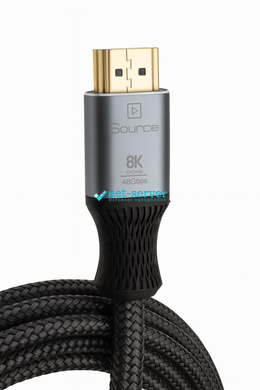




|
Quantity
|
Out of stock
|
||
|
|
|||
|
|
|||
HDMI Cable 2.1 Optical (AOC) 30 m, 8K 60Hz / 4K 120Hz, HDR, eARC – for LG, Samsung, Sony TV, PS5, Blu-ray
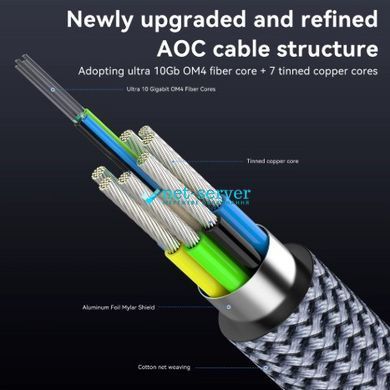
Optical HDMI 2.1 Cable (AOC) 30 m is designed for long-distance, lossless transmission of video and audio without compression or delay. The combination of OM4 fiber core and copper conductors ensures a stable bandwidth up to 48 Gbps, supporting 8K@60Hz and 4K@120Hz formats, as well as modern technologies like HDR/Dynamic HDR, eARC and HDCP 2.3.
Main Benefits
- Long-distance without loss: 30 m optical transmission — no electromagnetic interference, no need for signal boosters.
- Smooth performance: up to 4K@120Hz for next-gen gaming consoles and PCs.
- Cinematic picture quality: HDR / Dynamic HDR support for accurate colors and details.
- Crystal-clear sound: eARC for lossless Dolby TrueHD / DTS-HD MA audio (device-dependent).
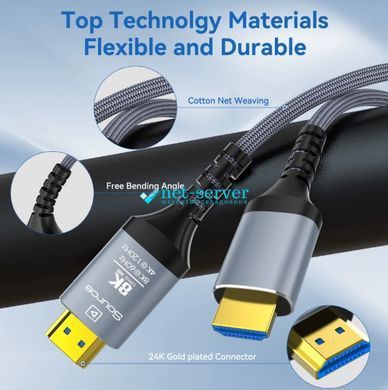
- Durable build: 24K gold-plated connectors, aluminum shell, braided nylon jacket, bend protection.
- Backward compatibility: works with HDMI 2.0/1.4 devices.
Important: this cable is unidirectional. Connect the SOURCE plug to the signal source (PC, PS5, set-top box, Blu-ray player) and the DISPLAY plug to the display (TV, projector, monitor). Incorrect connection will result in no image.
Compatibility
LG, Samsung, Sony TVs, 8K/4K projectors and monitors, PS5 / Xbox Series X|S, PCs/laptops, AV receivers with eARC, Blu-ray/media players. Supports HDMI 2.1 functions (eARC, HDR; VRR/ALLM depending on device compatibility).
Technical Specifications
| Standard | HDMI 2.1 (AOC — Active Optical Cable) |
|---|---|
| Length | 30 m |
| Bandwidth | Up to 48 Gbps |
| Video modes | 8K (7680×4320) @ 60Hz; 4K (3840×2160) @ 120Hz |
| Color | HDR / Dynamic HDR, up to 12-bit depth (device-dependent) |
| Audio | eARC, supports lossless formats (via compatible devices) |
| Content Protection | HDCP 2.3 (backward compatible) |
| Conductors | OM4 fiber + copper wires (power/control) |
| Connectors | HDMI Type-A → HDMI Type-A, 24K gold-plated, aluminum shell |
| Construction | Braided nylon jacket, bend protection |
| Direction | Unidirectional (SOURCE → DISPLAY) |
| Backward compatibility | HDMI 2.0/1.4 |
| Model / SKU | H134 (recommended: NS-H134) |
Package Contents
- HDMI 2.1 Optical Cable (AOC) 30 m — 1 pc
- User guide / connection direction markings
Connection Tips
- Connect the SOURCE end to the signal source, and the DISPLAY end to the display device.
- Set the source device to the desired mode (8K@60 or 4K@120) and enable HDR/eARC if needed.
- Avoid unnecessary extenders/adapters — they may limit 48 Gbps bandwidth.
FAQ
Will it work with my 4K TV if the cable is “8K”?
Yes. It is backward compatible: supports 4K/60, 4K/120 and lower resolutions.
Why is there no image after connection?
Check the direction: SOURCE must be connected to the source, DISPLAY to the TV/projector. Ensure the correct HDMI input and mode are selected in the devices’ menus.
Does the cable support VRR/ALLM?
The cable transmits HDMI 2.1 signals; VRR/ALLM support depends on your source and display compatibility.