 zakaz@net-server.com.ua
How to Choose a Patch Panel: 12, 24, 48 Ports, UTP, FTP or Keystone
When building a local area network in an office, server room, store, house or video surveillance system, it is important to organize cable lines correctly. For this purpose, patch panels are used — special network panels that help conveniently connect, label and maintain network cables.
A patch panel allows you to neatly bring all cables to one point, connect them to a switch using patch cords, and quickly change connections without reworking the entire cabling system.
In this article, we will explain how to choose a 12-port, 24-port or 48-port patch panel, what the difference is between UTP and FTP, when it is better to choose a Keystone patch panel, which category — Cat5e, Cat6 or Cat6A — to select, and which mistakes should be avoided during installation.
What Is a Patch Panel?
A patch panel is a network distribution component used to connect cable lines in a local area network. On one side, a twisted pair cable coming from workstations, cameras, sockets or other equipment is connected to it. On the other side, there are RJ45 ports for connecting patch cords.
Simply put, a patch panel is the central point where all network cables are terminated. It helps make the network neat, understandable and easy to maintain.
Patch panels are most often installed in:
- server cabinets;
- telecommunication racks;
- office networks;
- video surveillance systems;
- structured cabling systems;
- home networks with many cable lines.
What Is a Patch Panel Used For?
The main purpose of a patch panel is to organize cable lines and make network patching convenient. Without a patch panel, cables are often connected directly to the switch, which makes maintenance, line identification and equipment replacement more difficult.
A patch panel helps to:
- organize all network cables neatly;
- quickly find the required cable line;
- conveniently connect cables to a switch;
- reduce strain on active equipment ports;
- simplify network maintenance;
- improve the reliability of the cabling infrastructure.
Using a patch panel is especially important in offices, server rooms, stores, schools, warehouses and other facilities with many network connections.
12, 24 or 48 Ports — Which Patch Panel to Choose?
One of the first parameters when choosing a patch panel is the number of ports. The most common models are 12-port, 24-port and 48-port patch panels.
| Number of Ports | Where to Use | When to Choose |
|---|---|---|
| 12 ports | Small offices, apartments, private houses, small facilities | When the number of cable lines is small |
| 24 ports | Offices, stores, server cabinets, video surveillance systems | The most popular universal option |
| 48 ports | Large offices, server rooms, data centers, large facilities | When many cable lines need to be connected in one cabinet |
For most office and commercial facilities, a 24-port patch panel is the most common choice. It fits standard 19-inch cabinets and allows the network to be organized neatly.
If you currently have, for example, 16 cable lines, it is better not to choose a panel exactly for that number. It is worth leaving spare ports for future workstations, IP cameras, access points or other equipment.
Cat5e, Cat6 or Cat6A — Which Patch Panel Category to Choose?
The patch panel category should match the cable category and network requirements. If Cat5e cable is used, a Cat5e patch panel is enough. If Cat6 or Cat6A cable is installed, it is better to choose a panel of the corresponding category.
| Patch Panel Category | Suitable Cable | Where to Use |
|---|---|---|
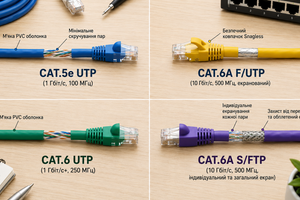
| Cat5e | Cat5e | Home networks, offices, standard gigabit connections |
| Cat6 | Cat6 | Offices, server rooms, PoE, video surveillance, networks with reserve |
| Cat6A | Cat6A | High-load networks, server rooms, modern infrastructure |
It is important to understand: if Cat6 cable is connected to a Cat5e patch panel, the line may be limited by the weaker component. For a high-quality network, all components should preferably be selected in the same category: cable, patch panel, modules, connectors and patch cords.
You can read more about the difference between categories in the article what is the difference between Cat5e and Cat6.
UTP or FTP Patch Panel
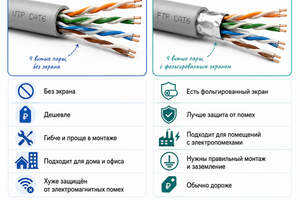
Another important parameter is the shielding type. Patch panels can be unshielded UTP or shielded FTP/STP.
UTP patch panel is used with unshielded twisted pair cable. This is the most common option for apartments, houses, offices and standard network connections.
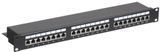
FTP or STP patch panel is used with shielded cable. Such a panel has metal elements for proper shield connection and helps reduce the impact of electromagnetic interference.
| Patch Panel Type | Suitable Cable | When to Choose |
|---|---|---|
| UTP | Unshielded twisted pair | Apartment, house, office, standard installation conditions |
| FTP | Shielded twisted pair | Server rooms, technical rooms, installation near power cables |
| STP | Shielded cabling systems | Industrial facilities and networks with increased interference protection requirements |
If you have installed FTP cable, it is recommended to use a shielded patch panel. If a UTP patch panel is used with shielded cable, the shielding may not work correctly or may not perform its function at all.
You can read more about the difference between cable types in the article what is the difference between UTP and FTP.
Standard Patch Panel or Keystone Patch Panel
Patch panels come in two main types: standard and Keystone.
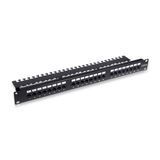
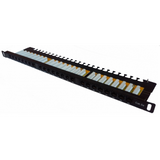
A standard patch panel has built-in RJ45 ports and contact blocks for cable termination. The cable is connected directly to the panel according to the T568A or T568B wiring scheme.
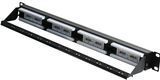
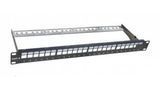
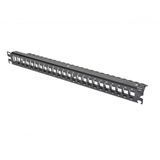
A Keystone patch panel is an empty panel where separate RJ45 network modules are installed. This option is more flexible because different module categories can be installed, and individual modules can be replaced without replacing the entire panel.
| Panel Type | Advantages | When to Choose |
|---|---|---|
| Standard patch panel | Ready-made solution, easy choice, often more cost-effective | For standard office and home networks |
| Keystone patch panel | Flexibility, individual module replacement, ability to combine solutions | For professional installation, server rooms and networks with different line types |
If you need a simple solution, you can choose a standard patch panel. If flexibility, easy maintenance and the ability to replace individual ports are important, a Keystone patch panel is worth considering.
You can read more about modules in the article how to choose an RJ45 Keystone module.
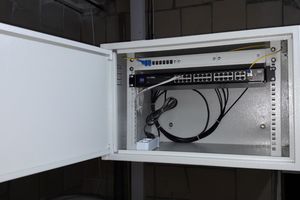
Patch Panel for a Server Cabinet
In server cabinets, a patch panel is one of the key elements of the cabling infrastructure. It helps neatly terminate cables, label lines and conveniently connect them to switches.
For a server cabinet, the most common choice is:
- 19-inch patch panel;
- 24-port or 48-port model;
- Cat6 or Cat6A for modern networks;
- FTP panel for shielded cable;
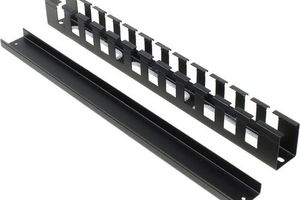
- cable organizers for neat patching;
- short patch cords for connection to the switch.
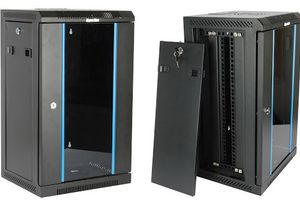
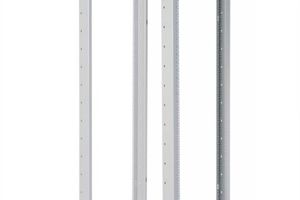
For neat installation, patch panels are used together with server cabinets, cable organizers, patch cords and switches.
Patch Panel for an Office
For an office network, a patch panel allows convenient organization of workstation connections, printers, IP phones, Wi-Fi access points, cameras and other equipment.
For most offices, the optimal solution is:
- 24-port patch panel;
- Cat5e or Cat6 category;
- UTP version for standard conditions;
- FTP version if shielded cable is used;
- spare ports for future expansion.
If the office is growing or new workstations may be added later, it is better to provide extra ports from the beginning instead of reworking the cabling system later.
Patch Panel for Video Surveillance and PoE
In video surveillance systems, a patch panel helps neatly terminate cables from IP cameras in a server cabinet or communication box. The cameras are then connected to a PoE switch using patch cords.
For video surveillance and PoE, it is important to:
- use high-quality copper twisted pair cable;
- choose a patch panel of the appropriate category;
- not save money on contact quality;
- test every line after installation;
- use an FTP patch panel for shielded cable;
- organize patching properly inside the cabinet.
For PoE, contact quality is especially important because both data and power are transmitted through the line. Poor contact may cause voltage loss, unstable camera operation or heating of connections.
You can read more about choosing a cable for PoE in the article which cable to choose for PoE.
Which Patch Cords Are Needed for a Patch Panel?
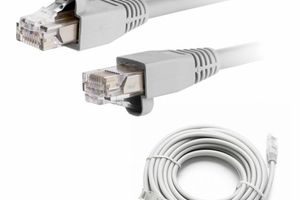
After the cables are connected to the patch panel, patch cords are used to connect the panel to a switch. They should be selected by category, length and shielding type.
Main recommendations:
- for a Cat5e panel, use Cat5e or Cat6 patch cords;
- for a Cat6 panel, it is better to use Cat6 patch cords;
- for an FTP panel, shielded patch cords are recommended;
- for a neat cabinet, choose short lengths: 0.25 m, 0.5 m or 1 m;
- for PoE, use high-quality patch cords with reliable connectors.
You can read more about choosing patch cords in the article how to choose a patch cord.
What to Consider When Choosing a Patch Panel
Before buying a patch panel, pay attention to several important parameters.
- Number of ports — 12, 24 or 48 depending on the number of lines and future reserve.
- Category — Cat5e, Cat6 or Cat6A should match the cable.
- Shielding type — UTP for unshielded cable, FTP or STP for shielded cable.
- Construction type — standard or Keystone patch panel.
- Mounting format — most often 19 inches for installation in a server cabinet.
- Contact quality — important for stable network and PoE operation.
- Labeling convenience — helps quickly identify required lines.
A properly selected patch panel significantly simplifies network maintenance and reduces the risk of patching errors.
Common Mistakes When Choosing a Patch Panel
- choosing a panel without spare ports;
- using a Cat5e panel for Cat6A cable;
- installing a UTP panel on shielded FTP cable;
- not labeling ports;
- untidy patch cord management;
- poor conductor termination;
- not testing lines with a cable tester;
- saving money on a patch panel for PoE or critical networks.
Most network problems are caused not by the cable itself, but by incorrect patching, weak contacts or mismatch between components.
What Products Are Used Together with Patch Panels?
For quality network installation, the following products are often used together with patch panels:
- patch panels — for organizing cable lines;
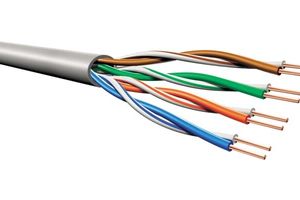
- twisted pair cable — for installing network cables;
- patch cords — for patching to switches and equipment;
- RJ45 network modules — for Keystone solutions;
- RJ45 connectors — for cable crimping and connection creation;
- crimping tools — for quality installation of network connections;
- server cabinets — for installing patch panels, switches and cabling infrastructure.
Comprehensive equipment selection allows you to create a stable, neat and easy-to-maintain network.
FAQ
What Is a Patch Panel?
A patch panel is a distribution panel used to connect and organize network cables in a local area network.
Which Patch Panel Should I Choose for an Office?
For most offices, the optimal solution is a 24-port Cat5e or Cat6 patch panel.
UTP or FTP Patch Panel — Which Is Better?
UTP is suitable for unshielded cable and standard conditions. FTP should be used with shielded cable or where electromagnetic interference is present.
How Is a Keystone Patch Panel Different from a Standard One?
Separate RJ45 modules are installed into a Keystone patch panel. This provides more flexibility and allows individual ports to be replaced without replacing the entire panel.
How Many Ports Should I Choose — 12, 24 or 48?
For small networks, 12 ports may be enough. For offices, 24 ports are most commonly used. For large facilities and server rooms, 48-port patch panels are used.
Is a Patch Panel Needed for PoE?
A patch panel can be used for PoE, but it must be high quality, of the correct category and properly installed.
Useful Categories
- Patch Panels
- Patch Cords
- Twisted Pair Cable
- RJ45 Network Modules
- RJ45 Connectors
- Crimping Tools
- Server Cabinets
Useful Articles
- What Is the Difference Between Cat5e and Cat6
- What Is the Difference Between UTP and FTP
- How to Choose an RJ45 Connector
- How to Choose a Patch Cord
- How to Choose an RJ45 Keystone Module
- Which Cable to Choose for PoE
Conclusion
To choose the right patch panel, you need to consider the number of ports, cable category, shielding type, mounting format and network usage conditions.
For small networks, a 12-port panel may be enough. For most offices, a 24-port patch panel is the optimal solution. For large facilities, server rooms and large-scale cabling systems, 48-port models are worth considering.
If unshielded twisted pair cable is used, a UTP patch panel is enough. For shielded cable, choose an FTP or STP panel. If flexibility and convenient maintenance are important, a Keystone patch panel is worth considering.
Need help choosing a patch panel? Net-Server specialists will help you select patch panels, patch cords, twisted pair cable, RJ45 network modules and other components for stable network operation.