 zakaz@net-server.com.ua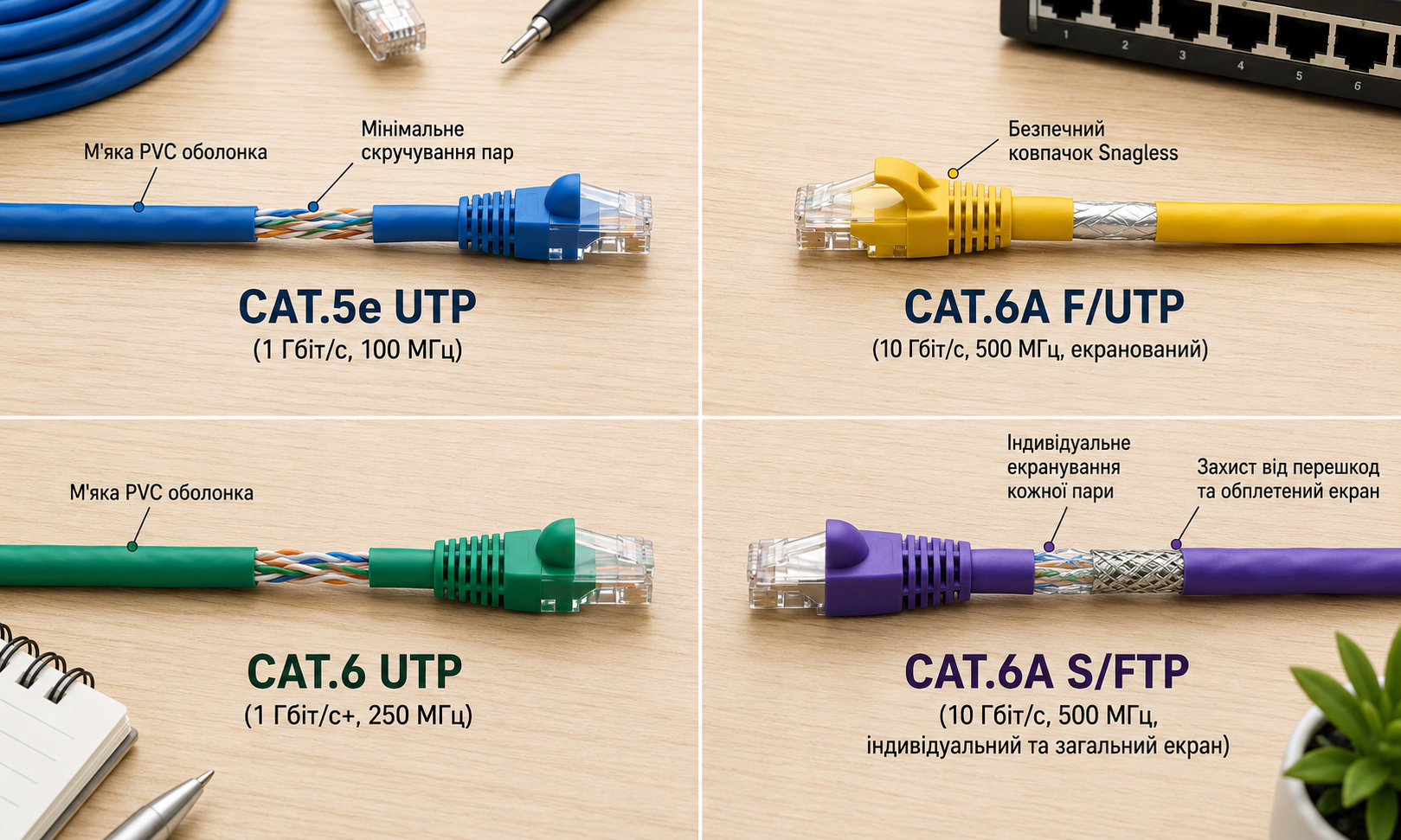
How to Choose a Patch Cord: Cat5e, Cat6, Cat6A, UTP or FTP
When connecting a router, computer, IP camera, patch panel, or other network equipment, a patch cord is often used. At first glance, it is just a short network cable with RJ45 connectors on both ends. However, the correct choice of a patch cord directly affects internet stability, data transfer speed, and the reliability of the entire network.
Patch cords differ by category, shielding type, length, conductor material, jacket type, and connector quality. If you choose the wrong cable, you may experience signal loss, reduced speed, unstable connection, or problems with PoE power delivery.
In this article, we will explain how to choose a Cat5e, Cat6, or Cat6A patch cord, what the difference is between UTP and FTP, and which option is better for home use, office networks, video surveillance, and server rooms.
What Is a Patch Cord?
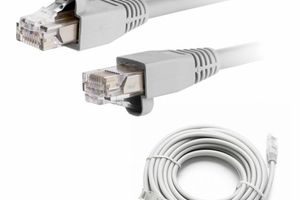
A patch cord is a ready-to-use network cable with RJ45 connectors already installed. It is used for quick connection of network equipment without the need to crimp the cable manually.
Patch cords are most often used to connect:
- computers and laptops to a network;
- routers and network equipment;
- IP surveillance cameras;
- patch panels;
- RJ45 network sockets;
- server and telecommunication equipment;
- Wi-Fi access points.
Unlike a regular twisted pair cable, a patch cord is already ready for use: it does not need to be additionally crimped with connectors.
Where Are Patch Cords Used?
Patch cords are used in almost every local area network. They are needed wherever network equipment must be connected quickly and reliably.
The most common uses include:
- connecting a computer to a network socket;
- connecting a router to network equipment;
- patch panel connections inside a server cabinet;
- connecting IP cameras to the network;
- connecting equipment in an office or server room;
- connecting Smart TVs, set-top boxes, access points, and other devices.
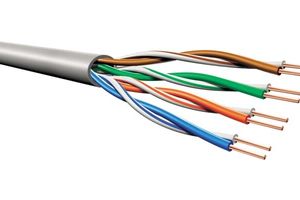
For fixed installation, bulk twisted pair cable is usually used, while patch cords are used for short connections between devices.
Cat5e, Cat6 or Cat6A — Which Patch Cord to Choose?
One of the main parameters of a patch cord is its category. It affects data transfer speed, bandwidth, and the stability reserve of the network.
| Category | Where to Use | When to Choose |
|---|---|---|
| Cat5e | Home internet, office networks, IP cameras | For most standard connections up to 1 Gbps |
| Cat6 | Offices, server rooms, video surveillance, networks with reserve | When better stability and future-proofing are needed |
| Cat6A | Server rooms, data centers, high-load networks | For modern infrastructure and maximum performance |
For most home and office tasks, a Cat5e patch cord is enough. If the network is built with a reserve or modern equipment is used, Cat6 is a better choice. For server rooms, high-load networks, and professional infrastructure, Cat6A is recommended.
You can read more about the difference between categories in the article what is the difference between Cat5e and Cat6.
UTP or FTP Patch Cord
Patch cords can be unshielded or shielded. The most common options are UTP and FTP.
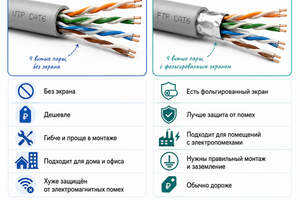
UTP patch cord is an unshielded cable. It is suitable for most home and office networks if there are no power cables or sources of electromagnetic interference nearby.
FTP patch cord has shielding that helps reduce the impact of interference. It is more often used in server rooms, technical rooms, industrial environments, or where network cables run close to power lines.
| Patch Cord Type | Feature | Where to Use |
|---|---|---|
| UTP | Unshielded | Apartment, house, office, standard conditions |
| FTP | Overall shielding | Server rooms, difficult installation conditions, near power cables |
| STP/SFTP | Enhanced shielding | Industrial facilities, equipment with higher stability requirements |
If you have a standard home or office network, UTP is usually enough. If the cable runs near power lines or is used in a server room, it is better to choose FTP or another shielded option.
You can read more about the difference between these types in the article what is the difference between UTP and FTP.
Copper or CCA Patch Cord
Another important parameter is the conductor material. A quality patch cord should provide stable contact, minimal signal loss, and reliable equipment operation.
Copper patch cord has better electrical conductivity, lower signal loss, and is better suited for critical networks, PoE, video surveillance, and office infrastructure.
CCA is a bimetallic conductor with an aluminum core and a thin copper coating. This option is cheaper, but it has higher resistance and is less suitable for networks under load.
A copper patch cord is a better choice for:
- gigabit internet;
- office networks;
- IP cameras;
- PoE connections;
- server rooms;
- networks that must operate stably without failures.
You can read more about the difference between copper and bimetallic conductors in the article copper cable vs CCA.
What Patch Cord Length Should You Choose?
The patch cord length should be selected based on the distance between devices. It is important not to choose a cable that is too short, as it can create tension, but also not to use an unnecessarily long patch cord.
The most common patch cord lengths are:
- 0.25–0.5 m — for patching inside a server cabinet or patch panel;
- 1 m — for short connections between devices;
- 2–3 m — for connecting a workstation;
- 5 m and more — for connecting equipment over a longer distance.
For neat patching inside a server or telecommunication cabinet, it is better to use short patch cords to avoid cable clutter.
LSZH or PVC Patch Cord Jacket
The jacket type of a patch cord also matters. The most common options are PVC and LSZH.
PVC is a common and affordable jacket suitable for most home and simple office connections.
LSZH is a low-smoke, zero-halogen jacket. It is recommended for offices, server rooms, educational institutions, medical facilities, and other premises with increased fire safety requirements.
For a home network, PVC is often enough. For commercial facilities, server rooms, and places with many people, LSZH is the better choice.
You can read more about cable jackets in the article LSZH or PVC: which cable to choose.
Patch Cord for a Router
For connecting a router, a Cat5e or Cat6 UTP patch cord is usually enough. If you have regular home internet, Cat5e is generally sufficient.
If you use gigabit internet, a modern router, or want to create a reserve for the future, it is better to choose a Cat6 patch cord.
For router connection, it is important that the patch cord is properly crimped and has reliable RJ45 connectors.
Patch Cord for Video Surveillance
For IP surveillance cameras, Cat5e or Cat6 patch cords can be used. If the camera works via PoE, it is better to choose a quality copper patch cord.
For standard cameras, Cat5e is often enough. For more complex systems, offices, or facilities with many devices, Cat6 is a better option.
If the cable runs near power lines or there is a risk of interference, it is worth considering an FTP patch cord.
You can read more about choosing a cable for cameras in the article which cable to choose for video surveillance.
Patch Cord for PoE
For PoE connections, a patch cord must reliably transmit not only data but also power. That is why it is especially important to pay attention to conductor material, connector quality, and cable category.
For PoE, it is recommended to use:
- copper patch cord;
- Cat5e or Cat6 category;
- quality RJ45 connectors;
- reliable factory or professional crimping;
- proper length without unnecessary excess.
For IP cameras, access points, and other PoE equipment, it is better not to use cheap CCA patch cords, especially if the equipment operates 24/7.
You can read more about choosing a cable for PoE in the article which cable to choose for PoE.
Patch Cord for a Server Room
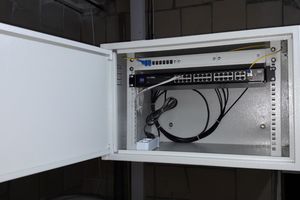
In server rooms and telecommunication cabinets, patch cords are used to connect patch panels, switches, servers, and other equipment.
For a server room, it is important to consider:
- patch cord category;
- cable length;
- ease of cable management;
- shielding type;
- connector quality;
- cable labeling and organization.
For neat patching, it is better to use patch cords of the appropriate length to avoid unnecessary clutter inside the cabinet. For modern server rooms, Cat6 or Cat6A patch cords are often selected.
Common Mistakes When Choosing a Patch Cord
- choosing the cheapest patch cord without considering quality;
- using CCA for PoE or critical networks;
- choosing the wrong cable category;
- buying a patch cord that is too long or too short;
- using UTP where FTP is required;
- ignoring the jacket type;
- using low-quality connectors;
- not testing the cable after connection.
What Products Are Used Together with Patch Cords?
When building a local area network, the following products are often used together with patch cords:
- patch cords;
- twisted pair cable;
- RJ45 connectors;
- patch panels;
- RJ45 keystone modules;
- RJ45 network sockets;
- crimping tools.
Properly selected components help create a stable, neat, and easy-to-maintain network.
FAQ
Which patch cord should I choose for internet?
For most home connections, a Cat5e UTP patch cord is enough. If you need more stability or use modern equipment, it is better to choose Cat6.
What is the difference between Cat5e and Cat6 patch cords?
Cat6 has better characteristics, lower interference impact, and more performance reserve. Cat5e is suitable for most standard gigabit connections.
UTP or FTP patch cord — which is better?
UTP is suitable for standard conditions. FTP is better where electromagnetic interference is present or where the cable runs near power lines.
Which patch cord is needed for PoE?
For PoE, it is better to use a copper Cat5e or Cat6 patch cord with quality RJ45 connectors.
What patch cord length should I choose?
The length depends on the distance between devices. For server cabinets, 0.25–1 m is often used, for a workstation — 2–3 m, and for longer distances — 5 m or more.
Useful Categories
Useful Articles
- What Is the Difference Between Cat5e and Cat6
- What Is the Difference Between UTP and FTP
- Copper Cable vs CCA
- Which Cable to Choose for PoE
- How to Choose an RJ45 Connector
Conclusion
To choose the right patch cord, you need to consider the cable category, shielding type, conductor material, length, jacket type, and usage conditions.
For most home connections, Cat5e UTP is enough. For offices, video surveillance, PoE, and networks with future reserve, it is better to choose Cat6 or Cat6A. If there are power cables or sources of interference nearby, an FTP patch cord is recommended.
Need help choosing a patch cord? Net-Server specialists will help you select patch cords, twisted pair cable, RJ45 connectors, and other components for stable network operation.