 zakaz@net-server.com.ua
How to Choose a 19-Inch Power Socket Block for a Server Cabinet: PDU, Number of Sockets, Switch or Filter
When installing a 19-inch server cabinet, it is important to properly organize not only cable patching but also equipment power supply. For this purpose, 19-inch power socket blocks are used. They are installed in server cabinets and racks and allow switches, routers, video recorders, UPS units, power supplies, fans and other equipment to be connected neatly.
At first glance, power socket blocks may look like simple devices, but when choosing one, it is important to consider the number of sockets, mounting type, presence of a switch, surge filter, cable length, plug type, maximum load and operating conditions. If the wrong socket block is selected, there may not be enough outlets in the cabinet, or the power connection may be inconvenient.
In this article, we will explain how to choose a 19-inch power socket block for a server cabinet, how a PDU differs from a standard extension cord, how many sockets are needed, when to choose a model with a switch, and when it is better to choose a socket block with a filter.
What Is a 19-Inch Power Socket Block?
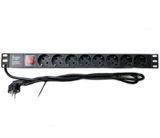
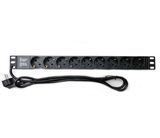
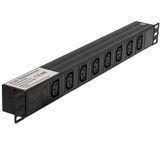
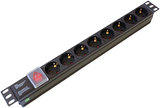
A 19-inch power socket block is a special electrical power distribution device installed in a standard server cabinet or 19-inch telecommunication rack. It is used to connect equipment inside the cabinet to the electrical network.
Such a device is often called a PDU — Power Distribution Unit. In a simple version, it is a block with several sockets for cabinet installation. In more advanced solutions, a PDU may include a filter, indicator, circuit breaker, switch or other additional functions.
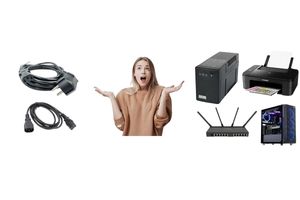
A 19-inch power socket block is usually used to connect:
- network switches;
- routers;
- DVR/NVR video recorders;
- PoE switches;
- UPS / uninterruptible power supplies;
- ventilation modules;
- media converters;
- power supplies;
- other active equipment inside a server cabinet.
The main purpose of a socket block is to organize the power supply inside a server cabinet neatly and safely.
Why Is a Power Socket Block Needed in a Server Cabinet?
A server cabinet often contains several devices, each of which requires power. If ordinary household extension cords are used, power cables may lie chaotically, take up extra space, interfere with ventilation and make equipment maintenance more difficult.
A 19-inch power socket block helps to:
- organize power supply neatly inside the cabinet;
- connect several devices conveniently;
- reduce cable clutter;
- free up space inside the cabinet;
- simplify equipment maintenance;
- make the installation professional and easy to understand;
- prepare the cabinet for future expansion.
It is especially important to use a socket block in cabinets where patch panels, switches, UPS units, video surveillance equipment, ventilation modules and other active devices are installed.
PDU or Standard Socket Block — What Is the Difference?
In everyday use, any socket block for a server cabinet is often called a PDU. Technically, however, a PDU is a device designed to distribute power between equipment inside a cabinet or rack.
A standard 19-inch socket block is a basic solution with several sockets that is installed in a cabinet and allows equipment to be connected.
A PDU is a broader term. In a simple version, it may be the same socket block, but in professional solutions a PDU can have additional functions such as indication, protection, filtering, monitoring, remote control or higher load capacity.
| Type | Feature | When to Choose |
|---|---|---|
| Basic 19" socket block | Several sockets for cabinet installation | For office, home, video surveillance and small server cabinets |
| PDU | Professional power distribution in a cabinet or rack | For server rooms, telecom nodes and a large amount of equipment |
For most office and home server cabinets, a quality 19-inch socket block is sufficient. For more complex server rooms or provider nodes, it is better to choose a PDU based on load and power supply requirements.
Horizontal or Vertical Power Socket Block
Power socket blocks for server cabinets can be installed horizontally or vertically. The most common option is a horizontal 19-inch socket block, which is mounted into the front or rear mounting profiles of the cabinet and usually takes 1U of space.
A horizontal 19-inch socket block is suitable for most wall-mounted and floor-standing cabinets. It is convenient to install next to equipment, a UPS or a cable organizer.
A vertical PDU is more often used in large floor-standing cabinets where many devices need to be connected without occupying useful 19-inch equipment space.
| Mounting Type | Where to Use | Advantage |
|---|---|---|
| Horizontal 19" | Wall-mounted and floor-standing cabinets | Simple installation, standard 1U format |
| Vertical PDU | Large floor-standing cabinets, server rooms | Does not occupy useful 19" equipment height |
For small 6U, 9U or 12U cabinets, a horizontal socket block is most often chosen. For large 42U cabinets, vertical PDUs can be considered if many power connection points are needed.
How Many Sockets to Choose: 6, 8, 9, 12 or 24
The number of sockets is one of the main parameters when choosing a power block for a server cabinet. Socket blocks with 6, 8 or 9 outlets are often used, while larger cabinets and telecom nodes may require models with 12, 16 or 24 sockets.
| Number of Sockets | Suitable For | When to Choose |
|---|---|---|
| 4 sockets | Minimal home or office cabinet | When there is very little equipment |
| 6 sockets | Home, small office, video surveillance | For a basic equipment set |
| 8–9 sockets | Office, server cabinet, video surveillance system | The most universal option with reserve |
| 12–24 sockets | Floor-standing cabinets, server rooms, telecom nodes | When there is a lot of active equipment in the cabinet |
When choosing the number of sockets, do not count only the current equipment. It is better to leave reserve for the future — an additional switch, power supply, fan, media converter, router or other equipment.
How to Calculate the Required Number of Sockets
To choose the right socket block, count all devices that will be connected to power inside the cabinet.
For example, a small server cabinet may contain:
- router — 1 socket;
- switch — 1 socket;
- PoE switch — 1 socket;
- video recorder — 1 socket;
- fan module — 1 socket;
- UPS or additional power supply — depending on the connection scheme.
If you currently need 4–5 sockets, it is better to choose a 6-, 8- or 9-socket block. If more equipment may be added later, the reserve should be planned from the beginning.
Socket Block with Switch or Without Switch
19-inch power socket blocks can be supplied with or without a switch. A switch allows connected equipment to be powered off quickly, but it is not always required.
A socket block with a switch is convenient for office cabinets, video surveillance systems, test benches or equipment that sometimes needs to be completely turned off.
A socket block without a switch is often chosen for equipment that must operate continuously. This reduces the risk of accidental power shutdown.
| Block Type | Advantage | When to Choose |
|---|---|---|
| With switch | Power can be turned off quickly | Office, video surveillance, test equipment, small cabinets |
| Without switch | Lower risk of accidental shutdown | Servers, important network equipment, 24/7 equipment |
If the cabinet contains critical equipment that must operate continuously, be careful when choosing a socket block with a switch, or install it in a way that prevents accidental switching off.
Is a Surge Filter Needed in a Server Cabinet?
Some socket blocks have a surge filter or protection against impulse interference. Such a block can help reduce the effect of short-term disturbances in the power network.
A socket block without a filter is suitable for basic equipment power connection, especially if power is supplied through a UPS or a separate protected power line.
A socket block with a filter can be useful for office cabinets, video surveillance systems, network equipment and devices connected directly to the mains.
| Type | Feature | When to Choose |
|---|---|---|
| Without filter | Basic equipment power supply | When there is a UPS or separate power protection |
| With filter | Additional protection against interference | For office, video surveillance and network equipment |
It is important to understand: a surge filter does not replace a UPS, voltage stabilizer or proper electrical protection. If equipment must operate continuously, it is better to use a UPS and choose the socket block as part of the entire power supply system.
What Load Should a Power Socket Block Support?
Before buying, check the maximum allowed load of the socket block. To do this, estimate the total power consumption of all equipment that will be connected to it.
In a small cabinet, the load is usually low: a router, switch, video recorder, fan or media converter usually consume relatively little power. But if the cabinet contains a powerful UPS, servers or many active devices, power distribution should be planned more carefully.
When choosing, pay attention to:
- maximum current of the socket block;
- maximum power rating;
- power cable cross-section;
- contact quality;
- grounding availability;
- operating conditions;
- whether the power will be connected through a UPS.
Do not connect equipment to one socket block if the total load exceeds the allowed specifications of the product.
What Power Cable and Plug Are Needed?
Socket blocks may differ by cable type, cable length and plug type. For a server cabinet, it is important that the power cable reaches the power source or UPS without tension and does not interfere with equipment maintenance.
Before buying, check:
- power cable length;
- plug type;
- grounding availability;
- cable quality;
- convenience of connection to a UPS or wall socket;
- where exactly the block will be installed in the cabinet.
If the cabinet is located far from the wall socket or power is supplied through a UPS, cable length is especially important. It is better to avoid strong cable tension or using many additional extension cords.
Schuko, C13, C14, C19 or C20 — Which Connection Type to Choose?
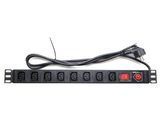
19-inch socket blocks may differ not only by the number of outlets but also by the connection type. In server cabinets, standard Schuko European sockets are often used, as well as IEC C13, C14, C19 and C20 connectors.
Schuko is a standard European socket type suitable for most power supplies, routers, video recorders, switches and other equipment with a classic plug.
C13 / C14 are often used in server and network equipment. For example, a socket block may have a C14 input and connect to a UPS or mains power through a suitable power cable.
C19 / C20 are used for equipment with higher load, powerful UPS units, servers or professional PDUs.
| Connector Type | Where It Is Used | When to Choose |
|---|---|---|
| Schuko | Standard European sockets | For most office, network and video equipment |
| C13 / C14 | UPS, server and network equipment | When connection via an IEC power cable is required |
| C19 / C20 | Powerful UPS units, servers, professional PDUs | For equipment with higher load |
Before buying a socket block, it is important to check which connection type is required for your equipment or UPS. If the socket block is supplied without a cable, a suitable power cable must be selected separately.
Power Socket Block for a Wall-Mounted Server Cabinet
For wall-mounted 19-inch cabinets, compact horizontal socket blocks are most often used. They take 1U of space and are suitable for a small amount of equipment.
For a wall-mounted cabinet, the following is usually enough:
- 4-, 6-, 8- or 9-socket block;
- horizontal 19-inch mounting;
- model with or without switch — depending on the task;
- cable of sufficient length;
- grounding;
- neat power cable management.
In small cabinets, saving space is important, so the socket block should be placed so that it does not interfere with patch cords, ventilation or access to equipment.
Power Socket Block for a Floor-Standing Server Cabinet
For floor-standing server cabinets, the choice of socket block depends on the amount of equipment and the power supply scheme. In large cabinets, several socket blocks or a vertical PDU may be installed.
For a floor-standing cabinet, consider:
- total number of devices;
- whether the equipment will be connected through a UPS;
- required number of sockets with reserve;
- placement at the front, rear or side;
- access to the switch;
- ventilation and cable management;
- allowed load.
For a large 42U cabinet, it is better to plan the power distribution scheme in advance so as not to overload one socket block and not create cable clutter.
Power Socket Block for Video Surveillance
In video surveillance systems, a socket block is used to connect a video recorder, PoE switch, camera power supply, router, UPS or ventilation.
For video surveillance, power stability is important, and all cables inside the cabinet should be organized neatly. If the system operates 24/7, it is recommended to use a UPS so that the equipment does not turn off during short power outages.
For a video surveillance cabinet, people usually choose:
- 6-, 8- or 9-socket block;
- model with grounding;
- block with or without switch — depending on the task;
- UPS connection for important systems;
- neat placement of power cables;
- enough spare sockets for future cameras or equipment.
If a PoE switch is used, cameras receive power through the network cable, but the PoE switch itself also requires reliable power supply.
Power Socket Block for an Office Network
In an office network, a socket block inside a server cabinet is used to power switches, a router, UPS, telephony, access points, media converters and other equipment.
For an office, having spare sockets is usually important, because new devices may be added over time: an additional switch, Wi-Fi controller, power supply, access control system or video surveillance equipment.
For an office cabinet, it is better to choose:
- 19-inch socket block with 6, 8 or 9 sockets;
- quality contacts and grounding;
- reserve number of sockets;
- convenient placement in the cabinet;
- UPS compatibility;
- neat power cable organization.
A properly selected socket block helps avoid chaotic extension cord connections and makes the server cabinet easier to maintain.
Common Mistakes When Choosing a 19-Inch Socket Block
- choosing a block without reserve sockets;
- ignoring the allowed load;
- lack of grounding;
- power cable that is too short;
- installing the block where it interferes with cables or equipment;
- accidental access to the switch on important equipment;
- using a household extension cord instead of a 19-inch socket block;
- connecting too many devices to one block;
- not using a UPS for equipment that must operate continuously.
Most problems occur when power in the cabinet is organized “temporarily” and then this temporary setup remains for years. It is better to plan a proper socket block, spare connections and convenient placement from the beginning.
What Products Are Bought Together with a 19-Inch Socket Block?
For a complete server cabinet installation, the following products are often used together with a socket block:
- 19-inch power socket blocks — for organizing equipment power supply;
- server cabinets — for installing equipment and accessories;
- wall-mounted 19-inch cabinets — for small office and home networks;
- floor-standing cabinets — for server rooms and large amounts of equipment;
- shelves — for routers, video recorders, UPS units and equipment without 19-inch mounting;
- cable organizers — for neat patch cord management;
- patch panels — for organizing cable lines;
- patch cords — for network equipment patching;
- ventilation equipment — for cooling the server cabinet.
Comprehensive equipment selection makes the server cabinet neat, convenient and safer for everyday operation.
FAQ
What Is a 19-Inch Power Socket Block?
A 19-inch power socket block is a device for connecting equipment power inside a server cabinet or 19-inch telecommunication rack.
How Many Sockets Are Needed for a Server Cabinet?
Count all devices that will be connected to power and add some reserve. For small cabinets, 6, 8 or 9 sockets are often enough.
Socket Block with Switch or Without Switch — Which Is Better?
A switch is convenient if equipment sometimes needs to be completely turned off. A block without a switch is better for critical equipment to reduce the risk of accidental shutdown.
Is a Filter Needed in a Socket Block?
A filter can be useful for additional protection against interference, but it does not replace a UPS or full electrical protection.
Can a Standard Extension Cord Be Used in a Server Cabinet?
Technically, it can be used, but for neat and professional installation it is better to use a 19-inch socket block designed for server cabinet installation.
Is a UPS Needed Together with a Socket Block?
If the equipment must operate continuously, a UPS is recommended. The socket block organizes the connection, while the UPS provides backup power during outages.
Where Is the Best Place to Install a Socket Block in a Cabinet?
The socket block should be installed so that equipment can be connected conveniently, but it should not interfere with patch cords, ventilation or access to devices.
Useful Categories
- 19-Inch Power Socket Blocks
- Server Cabinets
- Wall-Mounted 19-Inch Cabinets
- Floor-Standing Cabinets
- Shelves
- Cable Organizers
- Patch Panels
- Patch Cords
- Ventilation Equipment
Useful Articles
- How to Choose a 19-Inch Server Cabinet
- How to Choose a Patch Panel
- How to Choose a Patch Cord
- How to Choose an RJ45 Network Socket
- What Is the Difference Between UTP and FTP
- What Is the Difference Between Cat5e and Cat6
Conclusion
To choose the right 19-inch power socket block for a server cabinet, consider the number of sockets, mounting type, switch, filter, grounding, cable length, allowed load and the amount of equipment inside the cabinet.
For a small wall-mounted cabinet, a 6-socket block is often enough. For an office network, video surveillance system or cabinet with future reserve, an 8- or 9-socket block is usually a better choice. For large floor-standing cabinets and server rooms, several socket blocks or a vertical PDU with 12, 16 or 24 sockets may be required.
Power should not be organized chaotically with household extension cords. A properly selected 19-inch socket block makes the server cabinet neater, safer and easier to maintain.
Need help choosing a 19-inch socket block? Net-Server specialists will help you select a power socket block, server cabinet, shelves, cable organizers, patch panels and other components for stable network operation.