 zakaz@net-server.com.ua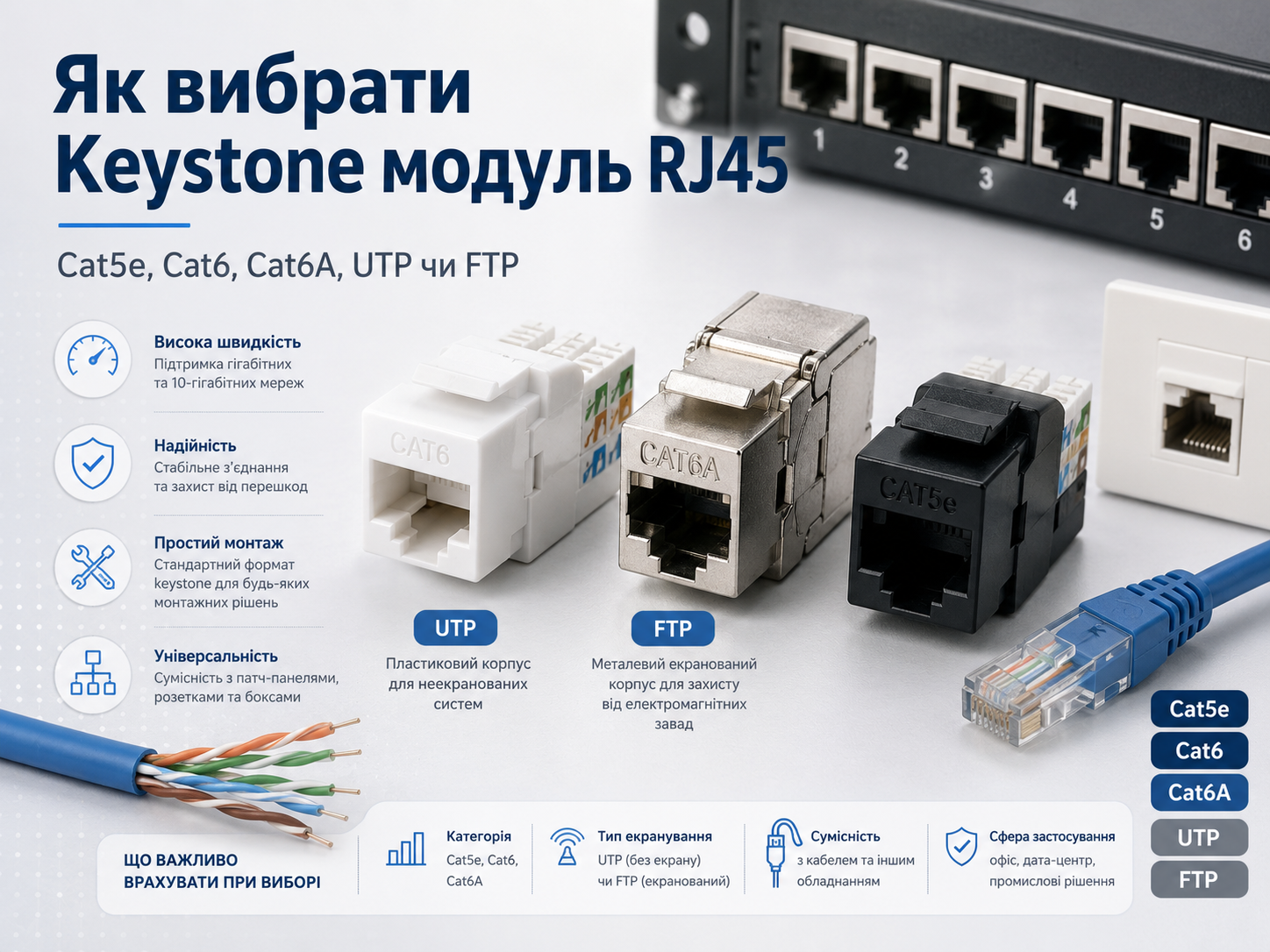
How to Choose an RJ45 Keystone Module: Cat5e, Cat6, Cat6A, UTP or FTP
When installing a local area network, it is important to choose not only the right twisted pair cable, RJ45 connectors or patch cords, but also the correct RJ45 network modules. An RJ45 Keystone module is often used in network sockets, patch panels, telecommunication cabinets and structured cabling systems.
At first glance, all RJ45 Keystone modules may look similar, but they differ by category, shielding type, installation method, cable compatibility and usage conditions. If the wrong module is selected, it may lead to poor contact, signal loss, unstable network operation or problems with PoE power delivery.
In this article, we will explain how to choose an RJ45 Keystone module for Cat5e, Cat6 or Cat6A cable, what the difference is between UTP and FTP modules, where they are used and which mistakes should be avoided during installation.
What Is an RJ45 Keystone Module?
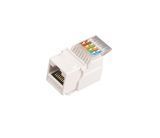
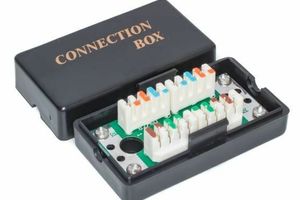
An RJ45 Keystone module is a replaceable network module used to connect twisted pair cable to a network socket, patch panel or other installation equipment. The cable is connected to one side of the module, while the other side has a standard RJ45 port for connecting a patch cord.
These modules are often called:
- RJ45 Keystone;
- RJ45 network module;
- RJ45 internet module;
- RJ45 socket module;
- patch panel module;
- RJ45 insert.
In the Net-Server catalog, you can choose RJ45 network modules for different cable types and installation conditions.
Where Are Keystone Modules Used?
Keystone modules are used where a neat and reliable fixed network cable connection is required.
They are most often used for:
- installing RJ45 network sockets;
- connecting office workstations;
- terminating cable lines in patch panels;
- building a network in a house or apartment;
- creating structured cabling systems;
- connecting IP cameras, access points and other network equipment;
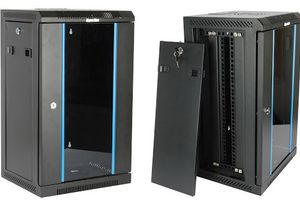
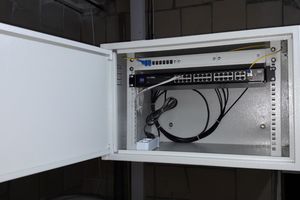
- organizing networks in server rooms and telecommunication cabinets.
If the cable is installed permanently inside a wall, trunking or cable channel, it is usually connected to a Keystone module or socket, rather than directly to a standard RJ45 connector.
How Is a Keystone Module Different from a Standard RJ45 Connector?
A standard RJ45 connector is crimped directly onto the end of a cable. It is often used for making patch cords or for quick equipment connection.
A Keystone module works differently. The cable is inserted into the module and fixed inside using IDC contacts, a toolless mechanism or a special termination tool. After installation, the front side of the module provides a neat RJ45 port.
| Element | Where It Is Used | Feature |
|---|---|---|
| RJ45 connector | On the end of a cable or patch cord | Crimped directly onto the cable |
| RJ45 Keystone module | In sockets, patch panels and mounting frames | Creates a fixed network connection point |
For fixed network installation, Keystone modules are usually more convenient, neater and easier to maintain.
Cat5e, Cat6 or Cat6A — Which Keystone Module to Choose?
The category of the Keystone module should match the cable category and network requirements. If Cat6 cable is used, it is better to choose a Cat6 module. If Cat6A cable is installed, a Cat6A module should be used so that the cable line is not limited by a lower-category component.
| Module Category | Suitable Cable | Where to Use |
|---|---|---|
| Cat5e | Cat5e | Home internet, office networks, standard gigabit connections |
| Cat6 | Cat6 | Offices, IP cameras, PoE, networks with future reserve |
| Cat6A | Cat6A | Server rooms, high-load networks, modern cabling infrastructure |
Important: a lower-category module may limit the performance of the cable. For example, if a Cat5e module is installed on a Cat6A cable, the line may not meet the expected performance characteristics.
You can read more about the difference between categories in the article what is the difference between Cat5e and Cat6.
UTP or FTP Keystone Module
One of the most important parameters when choosing a Keystone module is the shielding type.
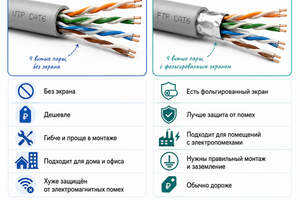
UTP Keystone module is used with unshielded twisted pair cable. This is the most common option for apartments, houses, small offices and standard network connections.
FTP or STP Keystone module is used with shielded cable. Such modules have a metal body or elements for contact with the cable shield, helping to reduce the impact of electromagnetic interference.
| Module Type | Suitable Cable | When to Choose |
|---|---|---|
| UTP | Unshielded twisted pair | Apartment, house, office, standard installation conditions |
| FTP | Shielded twisted pair | Server rooms, technical rooms, installation near power cables |
| STP | Shielded cable with additional protection | Industrial facilities and networks with increased interference protection requirements |
If you use shielded FTP cable, it is recommended to use a shielded Keystone module. If a UTP module is installed on FTP cable, the shielding may not work properly or may not perform its function at all.
You can read more about the difference between UTP and FTP in the article what is the difference between UTP and FTP.
Keystone Module for a Network Socket
For installing an RJ45 network socket, a Keystone module of the appropriate category is most often used. The cable is connected to the module, and the module itself is installed into a socket or mounting frame.
For home internet, the following options are usually enough:
- Cat5e UTP Keystone module — for standard gigabit connections;
- Cat6 UTP Keystone module — when more stability reserve is needed;
- FTP module — if shielded cable is used.
For neat installation, you can use RJ45 network sockets together with compatible network modules.
Keystone Module for a Patch Panel
In server rooms and telecommunication cabinets, Keystone modules are often used together with patch panels. This is a convenient solution because each cable line can be connected, replaced or serviced separately.
Keystone patch panels allow you to:
- organize cable lines neatly;
- quickly replace individual modules;
- use different types of modules in one panel;
- maintain the network more conveniently;
- reduce the risk of mistakes during patching.
For such tasks, patch panels, RJ45 network modules and patch cords of the appropriate category are used.
Keystone Module for PoE
For PoE, all elements of the line must be high quality: cable, module, connectors and patch cords. Since PoE transmits not only data but also power, poor contact in the module may cause voltage loss, heating or unstable equipment operation.
For PoE, it is recommended to:
- use copper twisted pair cable;
- choose a module of the appropriate category: Cat5e, Cat6 or Cat6A;
- avoid cheap low-quality modules for critical lines;
- terminate conductors correctly according to the T568A or T568B scheme;
- test the finished line with a cable tester.
You can read more about choosing a cable for PoE in the article which cable to choose for PoE.
Keystone Module for Video Surveillance
For IP surveillance cameras, Keystone modules are used in sockets, mounting boxes, patch panels or telecommunication cabinets. They help make the connection neat and convenient for maintenance.
For video surveillance, it is better to use:
- copper Cat5e or Cat6 cable;
- a module of the appropriate category;
- an FTP module if shielded cable is used;
- quality patch cords for connecting equipment;
- line testing after installation.
If the camera is powered via PoE, the quality of the connection inside the module is especially important.
You can read more about cable selection for cameras in the article which cable to choose for video surveillance.
What to Consider When Choosing a Keystone Module
Before buying an RJ45 Keystone module, pay attention to several important parameters.
- Category — Cat5e, Cat6 or Cat6A should match the cable and network requirements.
- Shielding type — for UTP cable choose a UTP module, for FTP or STP cable choose a shielded module.
- Installation method — the module can be tool-based or toolless.
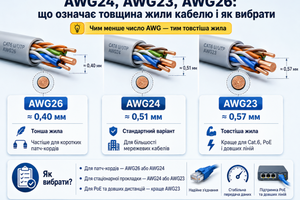
- Cable compatibility — conductor diameter and conductor type should be taken into account.
- Contact quality — this directly affects connection stability.
- Usage conditions — home, office, server room, video surveillance or PoE.
If Cat6 or Cat6A cable with a thicker conductor is used, make sure that the module supports the required conductor diameter.
Toolless Keystone Module or Tool-Based Module
Keystone modules may differ by installation method.
Tool-based modules are terminated using a special punch-down tool. This is a classic option often used by professional installers.
Toolless Keystone modules allow cable termination without a special punch-down tool. They are convenient for quick installation, service work or a small number of connections.
| Module Type | Advantages | When to Choose |
|---|---|---|
| Tool-based | Reliable classic installation | For professional installation and a large number of lines |
| Toolless | Fast installation without a special tool | For convenient connection, repair or small projects |
For professional installation of a large network, it is useful to have quality crimping tools and tools for terminating modules.
Common Mistakes When Choosing and Installing Keystone Modules
- choosing a module of a lower category than the cable;
- using a UTP module with shielded FTP cable;
- incorrect T568A or T568B wiring scheme;
- poorly inserted conductors in IDC contacts;
- not testing the line after installation;
- using low-quality modules for PoE;
- ignoring the conductor diameter of the cable;
- mixing different categories without understanding the limitations.
Most network problems are often caused not by the cable itself, but by incorrect installation or incompatible components.
What Products Are Used Together with Keystone Modules?
For complete network installation, the following products are often used together with Keystone modules:
- RJ45 network modules — for terminating cable in sockets and patch panels;
- RJ45 network sockets — for organizing workstations;
- patch panels — for cable line management in cabinets;
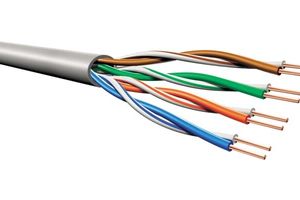
- twisted pair cable — for network line installation;
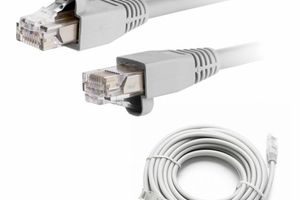
- patch cords — for connecting equipment to sockets and panels;
- RJ45 connectors — for crimping cable and making patch cords;
- crimping tools — for quality installation of network connections.
Properly selected components help create a stable, neat and easy-to-maintain network.
FAQ
What Is an RJ45 Keystone Module?
An RJ45 Keystone module is a network module used to terminate twisted pair cable in sockets, patch panels and other installation solutions.
Which Keystone Module Should I Choose for Cat6?
For Cat6 cable, it is better to use a Cat6 Keystone module. If the cable is shielded, choose an FTP or STP module.
Can a Cat5e Module Be Used with Cat6 Cable?
Physically, it may sometimes be possible, but it is not recommended. A Cat5e module may limit the performance of Cat6 cable.
UTP or FTP Keystone Module — Which Is Better?
UTP is suitable for unshielded cable and standard conditions. FTP is better for shielded cable or environments with electromagnetic interference.
Is a Keystone Module Suitable for PoE?
Yes, a Keystone module can be used for PoE, but it must be high quality, of the correct category and properly terminated.
Which Is Better — Toolless Module or Tool-Based Module?
A toolless module is more convenient for quick installation, while a tool-based module is often used for professional installation of many cable lines.
Useful Categories
- RJ45 Network Modules
- RJ45 Network Sockets
- Patch Panels
- Twisted Pair Cable
- Patch Cords
- RJ45 Connectors
- Crimping Tools
Useful Articles
- What Is the Difference Between Cat5e and Cat6
- What Is the Difference Between UTP and FTP
- How to Choose an RJ45 Connector
- How to Choose a Patch Cord
- Which Cable to Choose for PoE
- AWG24, AWG23, AWG26: What Cable Conductor Thickness Means
Conclusion
To choose the right RJ45 Keystone module, you need to consider the cable category, shielding type, installation method, conductor diameter and network usage conditions.
For home internet, a Cat5e or Cat6 UTP Keystone module is usually enough. For offices, server rooms, PoE, video surveillance and shielded cable lines, it is better to choose modules of the appropriate category and shielding type.
Need help choosing an RJ45 Keystone module? Net-Server specialists will help you select network modules, RJ45 sockets, patch panels, twisted pair cable and other components for stable network operation.