 zakaz@net-server.com.ua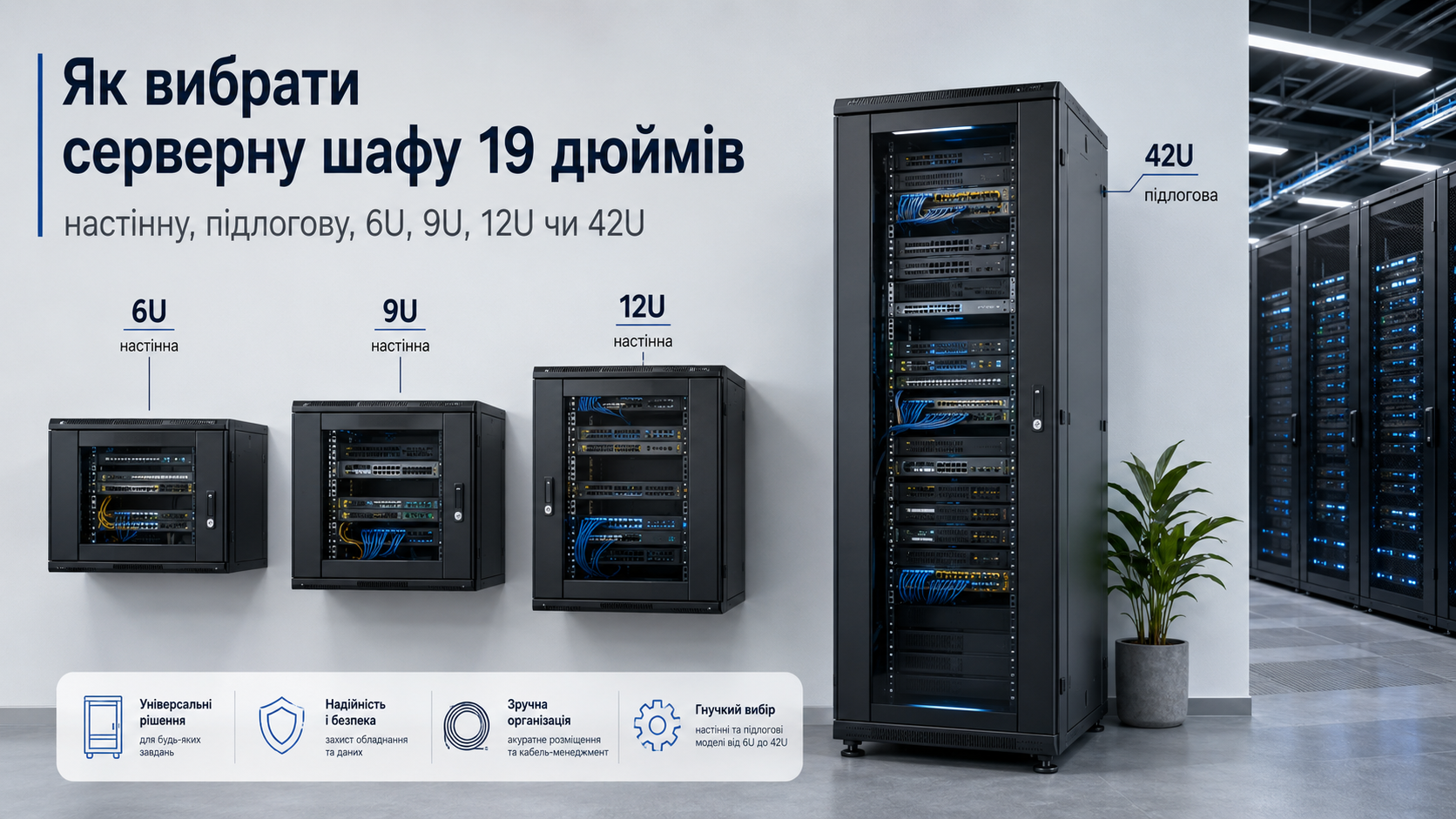
How to Choose a 19-Inch Server Cabinet: Wall-Mounted, Floor-Standing, 6U, 9U, 12U or 42U
When building a local area network, server room, video surveillance system or telecommunication infrastructure, it is important to organize equipment placement correctly. For this purpose, 19-inch server cabinets are used. They allow you to neatly install patch panels, switches, routers, power units, recorders, shelves, cable organizers and other equipment.
At first glance, all server cabinets may look similar, but they differ by installation type, height in units, depth, door design, ventilation, load capacity and purpose. If the cabinet is chosen incorrectly, the equipment may not fit, cable maintenance may become difficult, and ventilation may be insufficient.
In this article, we will explain how to choose a 19-inch server cabinet for home, office, server room or video surveillance, what the difference is between wall-mounted and floor-standing models, which height to choose — 6U, 9U, 12U, 18U or 42U — and which parameters to consider before buying.
What Is a 19-Inch Server Cabinet?
A 19-inch server cabinet is a special telecommunication cabinet designed for installing network, server and switching equipment of the 19" standard. This format is used in most server rooms, office networks, data centers, video surveillance systems and telecommunication nodes.
A server cabinet usually contains:
- patch panels;
- network switches;
- routers;
- servers;
- DVR/NVR recorders for video surveillance;
- UPS / uninterruptible power supplies;
- shelves for equipment;
- cable organizers;
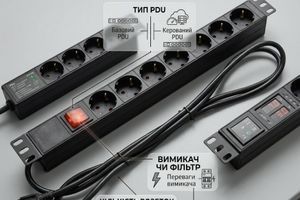
- 19" power socket blocks;
- ventilation modules and accessories.
The main purpose of a server cabinet is to protect equipment, organize cables and make network maintenance convenient.
What Is a Server Cabinet Used For?
A server cabinet is needed wherever several pieces of network or server equipment are used. Without a cabinet, cables are often laid chaotically, equipment stands on shelves or on the floor, access to ports is difficult, and network maintenance takes more time.
A server cabinet helps to:
- neatly place network equipment;
- protect equipment from dust, accidental damage and unauthorized access;
- organize cable lines;
- conveniently install patch panels, PDU, UPS and accessories;
- ensure proper ventilation;
- simplify network maintenance;
- prepare the infrastructure for future expansion.
For an office, store, warehouse, private house or video surveillance system, a server cabinet is often the central point where all cables are routed and the main equipment is installed.
Wall-Mounted or Floor-Standing Server Cabinet
The first important choice is the installation type. Server cabinets can be wall-mounted or floor-standing.
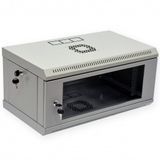
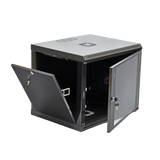
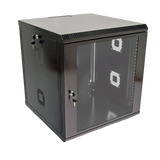
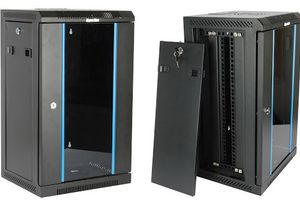
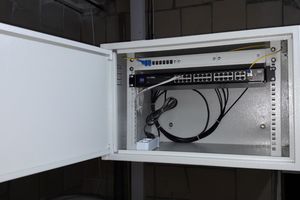
A wall-mounted server cabinet is fixed to the wall. It is suitable for small networks, offices, stores, apartments, houses, video surveillance cameras and facilities where a limited amount of equipment needs to be installed.
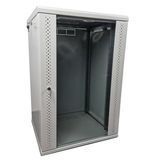
A floor-standing server cabinet is installed on the floor. It is used for more equipment, servers, UPS units, large patch panels, switches and more complex network systems.
| Cabinet Type | Where to Use | When to Choose |
|---|---|---|
| Wall-mounted 19" cabinet | Home, office, store, video surveillance, small server room | When there is not much equipment and space needs to be saved |
| Floor-standing 19" cabinet | Server room, office, data center, provider node | When there is a lot of equipment or greater depth and load capacity are required |
If you need to install several patch panels, a switch, a router and a small UPS, a wall-mounted cabinet is often enough. If servers, a large UPS, many cables or future expansion are planned, it is better to consider a floor-standing cabinet.
How to Choose Cabinet Height: 6U, 9U, 12U, 18U, 22U or 42U
The height of a server cabinet is measured in units — U. One unit corresponds to the height of standard 19-inch equipment. The more U, the more equipment can be installed in the cabinet.
| Cabinet Height | Suitable For | When to Choose |
|---|---|---|
| 6U | Small office, home, video surveillance | When only a minimal set of equipment needs to be installed |
| 9U | Office, store, small server room | When more space is needed for a patch panel, switch, UPS and organizer |
| 12U | Office network, video surveillance, telecommunication node | One of the most popular options for small and medium-sized facilities |
| 18U / 22U | Medium server room, office, large video surveillance system | When space for future expansion is required |
| 42U | Server rooms, data centers, providers, large offices | When a lot of equipment, servers, UPS units and patch panels are installed |
When choosing the height, it is important to consider not only the current equipment, but also future reserve. If you currently need 6U, it is better to consider 9U or 12U. If the equipment fills almost the entire cabinet from the first day, maintenance will be inconvenient.
How to Calculate the Required Server Cabinet Height
To choose the correct height, add up the height of all equipment in units and include extra space. For example, if you need to install a 1U patch panel, 1U switch, 1U cable organizer, 1U power socket block and 1U shelf, the minimum required height is 5U. But in this case, a 6U cabinet will be almost completely full.
It is better to leave a 30–50% reserve for ventilation, convenient installation and future expansion.
| Equipment | Approximate Height |
|---|---|
| Patch panel | 1U |
| Switch | 1U |
| Cable organizer | 1U |
| 19" power socket block | 1U |
| Shelf | 1U or more depending on the design |
| UPS | depends on the model and installation method |
For a small office network, it is better not to choose a cabinet “too tightly”. A small height reserve often costs less than replacing the entire cabinet after a few months.
What Server Cabinet Depth to Choose
Cabinet depth is one of the most important parameters. If the depth is too small, equipment may physically not fit or it may be difficult to connect cables at the rear.
For network equipment, patch panels, small switches and video recorders, a cabinet depth of 450–600 mm is often enough. For servers, large UPS units and deep equipment, floor-standing cabinets with greater depth are required.
| Cabinet Depth | Suitable For |
|---|---|
| 350–450 mm | Patch panels, small switches, routers, compact network solutions |
| 600 mm | Office networks, video surveillance, UPS, most telecom equipment |
| 800–1000 mm | Servers, deep equipment, large UPS units, professional server rooms |
Before buying, always check the depth of the equipment and leave space for cables, power connections and ventilation. If a device is 400 mm deep, a 450 mm cabinet may be inconvenient because of cables and connectors.
Glass, Metal or Perforated Doors
Server cabinet doors affect protection, ventilation and equipment monitoring convenience.
Glass doors allow you to see equipment indicators without opening the cabinet. This is a popular option for offices, stores, video surveillance and small server rooms.
Metal doors provide better protection and hide equipment from view. They are often used in technical rooms or where security is more important.
Perforated doors provide better ventilation. They are suitable for server rooms, cabinets with a large amount of equipment or systems where cooling is important.
| Door Type | Advantage | When to Choose |
|---|---|---|
| Glass doors | Equipment indicators are visible | Office, store, video surveillance, small server room |
| Metal doors | Better equipment protection | Technical rooms, warehouses, restricted-access areas |
| Perforated doors | Better ventilation | Server rooms, a lot of equipment, high heat output |
Ventilation and Cooling of a Server Cabinet
Network and server equipment produces heat during operation. If the cabinet is poorly ventilated, the temperature inside may rise, which negatively affects stability and equipment service life.
For small cabinets with minimal equipment, natural ventilation is often sufficient. If the cabinet contains a lot of active equipment, a UPS or a video recorder, it is worth considering ventilation equipment.
For better cooling, the following are used:
- fan modules;
- perforated doors;
- ventilation openings;
- proper equipment placement;
- space between devices;
- neat cable management.
If the cabinet is installed in a warm room or will contain a lot of equipment, ventilation should be planned from the beginning.
Shelves, Organizers, PDU and Accessories
A server cabinet is not just a metal enclosure. Additional accessories are often required for convenient installation.
The most commonly purchased accessories together with a cabinet are:
- shelves — for equipment without 19-inch mounting;
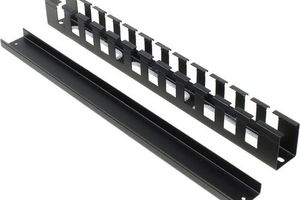
- cable organizers — for neat patch cord management;
- 19" power socket blocks — for powering equipment;
- ventilation equipment — for cooling;
- mounting hardware and accessories — for equipment installation;
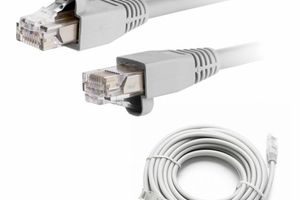
- patch cords — for equipment patching;
- patch panels — for organizing cable lines.
If accessories are not planned in advance, the cabinet may be installed, but using it will be inconvenient. This is especially true for cable organizers, shelves and power socket blocks.
Server Cabinet for Home Use
At home, a server cabinet is often used for a router, switch, patch panel, video recorder, UPS and cables from network sockets. In most cases, a compact wall-mounted cabinet is enough.
For a home network, people usually choose:
- a wall-mounted 6U, 9U or 12U cabinet;
- 350–600 mm depth depending on the equipment;
- glass or metal doors;
- a shelf for a router or video recorder;
- a 19" power socket block or compact PDU;
- a patch panel and short patch cords for neat patching.
If the house has many network sockets, cameras or access points, it is better to choose a cabinet with reserve from the beginning — for example, 9U or 12U.
Server Cabinet for an Office
In an office, a server cabinet is needed to organize workstations, patch panels, switches, routers, telephony, Wi-Fi access points and video surveillance systems.
For an office, the following are often chosen:
- wall-mounted 9U, 12U or 18U cabinet;
- floor-standing cabinet if there is a lot of equipment;
- patch panels for workstation connections;
- cable organizers;
- 19" power socket blocks;
- ventilation if the equipment heats up actively;
- space reserve for expansion.
For an office network, it is important not to choose a cabinet “too tightly”. Over time, new workstations, cameras, access points or additional equipment may appear.
Server Cabinet for Video Surveillance
For video surveillance systems, a server cabinet allows you to neatly place a video recorder, PoE switch, patch panel, power supply, UPS and cables from cameras.
For video surveillance, the following are usually used:
- wall-mounted 6U, 9U or 12U cabinets;
- shelves for NVR/DVR recorders;
- patch panels for camera cables;
- short patch cords;
- 19" power socket block;
- UPS for backup power;
- ventilation if the equipment works continuously.
If the video surveillance system is large, it is better to choose a cabinet with reserve in height and depth so that there is enough space for cables and future expansion.
Server Cabinet for a Provider or Telecom Node
For internet providers, telecommunication nodes and technical facilities, cabinet requirements are usually higher. Structural strength, equipment protection, ventilation, cable access and the ability to install a large number of components are important here.
In such cases, the following may be used:
- floor-standing server cabinets;
- vandal-proof cabinets;
- climate-controlled cabinets;
- outdoor server cabinets;
- cabinets with perforated doors;
- ventilation modules;
- cable organizers and accessories.
For such tasks, it is better to choose a cabinet not only by height, but also by operating conditions: indoor or outdoor installation, temperature, dust, humidity, unauthorized access and equipment type.
Common Mistakes When Choosing a Server Cabinet
- choosing a cabinet without height reserve;
- too little cabinet depth;
- no space for cables at the rear;
- ignoring ventilation;
- no shelves for equipment without 19" mounting;
- no cable organizers;
- wrong choice of a wall-mounted cabinet for heavy equipment;
- installing a UPS or server in a cabinet that is not designed for such load;
- no reserve for future expansion;
- choosing a cabinet without considering operating conditions.
Most often, problems occur when a cabinet is chosen only by price or external size, without considering equipment depth, number of cables, ventilation and future expansion.
What Products Are Used Together with a Server Cabinet?
For a complete server cabinet installation, additional components are often required:
- server cabinets — for installing network and server equipment;
- patch panels — for organizing cable lines;
- cable organizers — for neat patch cord management;
- 19" power socket blocks — for powering equipment;
- shelves — for installing equipment without standard mounting;
- ventilation equipment — for cooling the cabinet;
- patch cords — for equipment patching;
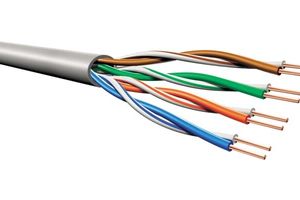
- twisted pair cable — for installing network lines;
- RJ45 network sockets — for organizing connection points.
A properly selected cabinet and accessories help create a stable, neat and easy-to-maintain network infrastructure.
FAQ
Which server cabinet should I choose for home use?
For home use, a wall-mounted 6U, 9U or 12U server cabinet is usually enough. The choice depends on the amount of equipment: router, switch, patch panel, video recorder, UPS and cables.
Which server cabinet should I choose for an office?
For a small office, a wall-mounted 9U or 12U cabinet is often suitable. For more equipment, it is better to consider 18U, 22U or a floor-standing server cabinet.
What Does 6U, 9U, 12U or 42U Mean?
U is a height unit for 19-inch equipment. The higher the U value, the more equipment can be installed in a server cabinet.
What Server Cabinet Depth Is Needed?
For patch panels, routers and small switches, 350–600 mm is often enough. For servers, large UPS units and deep equipment, it is better to choose 800–1000 mm cabinets.
Is a Wall-Mounted or Floor-Standing Server Cabinet Better?
A wall-mounted cabinet is suitable for a small amount of equipment and saving space. A floor-standing cabinet is needed for servers, large UPS units, many patch panels and heavy equipment.
Is Ventilation Needed in a Server Cabinet?
If the cabinet contains a lot of active equipment, a UPS or a video recorder, ventilation should be planned from the beginning. For a minimal set of equipment, natural ventilation may sometimes be enough.
Should I Choose a Server Cabinet with Reserve?
Yes, it is recommended to leave reserve in height and depth. This simplifies installation, ventilation, maintenance and future network expansion.
Useful Categories
- Server Cabinets
- Wall-Mounted 19" Cabinets
- Floor-Standing Cabinets
- Outdoor Server Cabinets
- Climate-Controlled Cabinets
- Vandal-Proof Cabinets
- Patch Panels
- Cable Organizers
- 19" Power Socket Blocks
- Shelves
- Ventilation Equipment
Useful Articles
- How to Choose a Patch Panel
- How to Choose a Patch Cord
- How to Choose an RJ45 Network Socket
- How to Crimp an RJ45 Cable
- What Is the Difference Between UTP and FTP
- What Is the Difference Between Cat5e and Cat6
Conclusion
To choose the right 19-inch server cabinet, you need to consider the installation type, height in units, depth, equipment weight, ventilation, doors, accessories and reserve for future expansion.
For home use, a small office or video surveillance, a wall-mounted 6U, 9U or 12U cabinet is often enough. For a medium office or more equipment, it is better to consider 18U or 22U. For server rooms, data centers and large facilities, 42U floor-standing cabinets and models with greater depth are used.
You should not choose a cabinet only by price. It is important to check equipment dimensions, depth, load capacity, ventilation and the availability of required accessories.
Need help choosing a server cabinet? Net-Server specialists will help you select a 19" server cabinet, patch panels, cable organizers, power socket blocks, shelves, ventilation equipment and other components for stable network operation.